Microsoft Rewards is a free rewards program that lets you earn points simply by doing the things you already do online — searching the web, shopping at the Microsoft Store, playing Xbox games, and completing daily tasks. Those points can then be redeemed for gift cards, discounts on Microsoft and Xbox content, and even charitable donations.
The key to earning points fast is understanding where every point can come from and stacking multiple earning methods on top of each other every single day. This guide breaks the process into two powerful methods: one focused on free, everyday activities, and the other on purchases, referrals, and smart redemption. Together, they can help you reach Microsoft Rewards Level 2 — which multiplies your earnings — and max out your daily and monthly potential.
Quick tip: A Microsoft Rewards account is free to create. You only spend time, not money, to earn the majority of points described in Method 1.
Method 1 — Earning Points Through Everyday Searches and Free Activities: The fastest way to build up points without spending a dime is to make Microsoft's search and task tools part of your daily routine. Each step below layers a new earning opportunity on top of the last, so that your points accumulate constantly rather than in occasional bursts.
Method 2 — Maximizing Points Through Purchases, Referrals, and Smart Redemption: Free activities build your foundation, but to earn points at maximum speed you should also leverage purchases, referrals, and smart account management. This method focuses on the high-multiplier opportunities that separate casual earners from those who consistently maximize their Rewards balance.
Step-by-step
Step 1: Method 1 — Step 1: Sign Up for a Microsoft Account
Start by creating a free Microsoft account at account.microsoft.com. This is the single account that powers everything — Bing search rewards, the Microsoft Store, Xbox, and your Rewards balance all connect to it. If you already use Outlook, OneDrive, or any Microsoft service, you likely already have one; simply sign in rather than creating a new account.

Step 2: Method 1 — Step 2: Create a Microsoft Rewards Account
With your Microsoft account ready, head to rewards.bing.com and sign in. On your first visit, Microsoft will walk you through enrolling in the Rewards program. Accept the terms, and your rewards dashboard will appear, showing your current points balance, your level, and the daily tasks available to you.

Step 3: Method 1 — Step 3: Download and Install Microsoft Edge
Microsoft Edge is the most points-friendly browser you can use. Download it from microsoft.com/edge and install it on your computer. Edge automatically integrates Bing search rewards and offers bonus points that other browsers simply do not provide, making it the foundation of your free earning strategy.

Step 4: Method 1 — Step 4: Set Bing as Your Default Search Engine
In Microsoft Edge, open the settings and set Bing as your default search engine. Every time you type a query into the address bar or a new tab, you will be running a Bing search — and every qualifying search earns you points. Making Bing the default ensures that your ordinary web browsing is silently earning rewards all day long.

Step 5: Method 1 — Step 5: Enable Bing Search Rewards on Desktop
Open rewards.bing.com, go to your rewards settings, and make sure Bing Search Rewards is turned on. At Level 1, you earn 5 points per desktop search, capped at 50 points per day. This is the core earning engine of the entire program, so confirm it is active before moving on.

Step 6: Method 1 — Step 6: Search with Bing on Desktop Every Day
Make it a daily habit to run your searches through Bing on your desktop. The 5-point reward per search adds up quickly — hitting the 50-point daily cap takes roughly 10 searches, which most people reach through normal work, research, or casual browsing. The more consistently you search, the faster your points grow.

Step 7: Method 1 — Step 7: Reach Level 2 to Unlock Higher Point Caps
Microsoft Rewards has two levels. Level 1 is the starting tier, but Level 2 dramatically increases your earning potential: the desktop search cap rises from 50 to 150 points per day. To reach Level 2, you need to earn 500 points in a single month. Once you hit that threshold, you will be rewarded with a much higher daily ceiling that accelerates every method in this guide.

Step 8: Method 1 — Step 8: Install the Bing Mobile App
Download the Bing app from the App Store (iOS) or Google Play (Android) and sign in with the same Microsoft account. The mobile app is a separate, powerful earning channel — it lets you earn points from searches on your phone that do not count against your desktop cap, effectively doubling your daily search potential.

Step 9: Method 1 — Step 9: Search with the Bing Mobile App Daily
Open the Bing app on your phone and run your searches through it every day. Mobile searches earn points independently from desktop searches, with a daily cap of around 100 points — but only available once you reach Level 2. Making the Bing app your mobile search default turns your phone into a constant point-earning machine.

Step 10: Method 1 — Step 10: Complete the Daily Bing Quiz
Each day, rewards.bing.com features a daily quiz with a handful of questions on a mix of topics. Completing the quiz earns a set block of points — typically around 10 — and takes only a minute or two. It is one of the highest-value daily tasks because the effort-to-reward ratio is excellent.

Step 11: Method 1 — Step 11: Answer the Daily Bing Poll
Right alongside the quiz, a daily poll appears on your rewards dashboard. Answering the poll is even faster than the quiz and awards another small but guaranteed points payout. Since it takes only a tap, there is no reason to skip it — it adds free points with virtually zero effort.

Step 12: Method 1 — Step 12: Finish the Daily Fast Facts
Fast Facts are short, single-question trivia prompts that appear throughout the day on rewards.bing.com and within the Bing app. Each correct answer earns a small point reward. Because they pop up repeatedly, keeping an eye out for them and answering them whenever you see them steadily adds to your daily total.

Step 13: Method 1 — Step 13: Check the Daily Task List on rewards.bing.com
Visit rewards.bing.com each day and review the full daily task list. Microsoft rotates a variety of tasks — quizzes, polls, searches, and special promotional tasks — each worth a set number of points. Running through the complete list every day ensures you capture every free earning opportunity the program offers.

Step 14: Method 1 — Step 14: Install the Microsoft Rewards Browser Extension
For users of Chrome and other browsers, Microsoft offers a Rewards browser extension that surfaces points-earning prompts, daily tasks, and progress tracking directly in your browser. Install it from the Chrome Web Store or Edge Add-ons store, sign in, and it will notify you of new earning opportunities as they appear.

Step 15: Method 1 — Step 15: Use Microsoft Edge for Additional Bonus Points
Beyond standard Bing search rewards, Microsoft Edge offers extra bonus points for using specific Edge features — such as earning points through certain Edge activities and promos. Because Edge is tightly integrated with the Rewards program, switching your browsing to Edge whenever possible captures bonus points that other browsers simply cannot match.

Step 16: Method 1 — Step 16: Open the Rewards Hub on Xbox
If you have an Xbox, press the Xbox guide button and open the Rewards Hub app. This hub is your gateway to earning points through gaming — it lists available offers, game-based earning opportunities, and app-download bonuses, all tied directly to your Microsoft Rewards account.

Step 17: Method 1 — Step 17: Play Qualifying Xbox Games
Through the Rewards Hub, Microsoft regularly offers point rewards for playing specific Xbox games or completing in-game objectives. These promotions can award significant points for activities you might already be doing. Check the Rewards Hub regularly for new game-related earning offers and play the qualifying titles to rack up points.

Step 18: Method 1 — Step 18: Download Microsoft Store Apps
The Rewards Hub also rewards you for downloading and opening apps from the Microsoft Store on your Xbox or Windows device. Each qualifying app download earns a small point bonus, and Microsoft frequently rotates which apps qualify. Downloading a few new apps periodically is an easy way to add free points.

Step 19: Method 1 — Step 19: Take Advantage of Monthly Challenges
Microsoft periodically runs monthly challenges and special promotional events that offer bonus points for completing a set of related tasks. These challenges often have elevated point rewards and can significantly boost your monthly total. Keep an eye on your rewards dashboard for new challenges and tackle them as soon as they appear.

Step 20: Method 2 — Step 20: Shop at the Microsoft Store
Every purchase at the Microsoft Store — whether for apps, games, movies, or productivity software — earns points. At Level 1, you earn 1 point per dollar spent; at Level 2, that jumps to 10 points per dollar. Whenever you need to buy software, a game, or a digital subscription, buying it through the Microsoft Store converts your spending into points.

Step 21: Method 2 — Step 21: Understand the Level 2 Purchase Multiplier
The Level 2 purchase multiplier is one of the biggest levers in the entire program. Moving from 1 point per dollar (Level 1) to 10 points per dollar (Level 2) means your spending earns ten times more points. If you plan to make any Microsoft Store purchases, reaching and maintaining Level 2 should be a top priority.

Step 22: Method 2 — Step 22: Subscribe to Xbox Game Pass Ultimate
Xbox Game Pass Ultimate is one of the highest-value subscriptions for point earning. As a Microsoft Store purchase, it earns points at the enhanced rate — roughly 20 points per dollar at Level 2. If you already enjoy Game Pass, you are effectively being paid in points for your subscription, making it a smart move for both gaming and rewards.

Step 23: Method 2 — Step 23: Buy Games and Add-Ons from the Microsoft Store
When you buy Xbox games, DLC, and in-game content, always purchase through the Microsoft Store rather than third-party retailers. Digital purchases on the Microsoft Store qualify for points at the Level 2 rate, turning ordinary game spending into a steady points stream that you would otherwise miss out on.

Step 24: Method 2 — Step 24: Set Up the Microsoft Rewards App
Download the Microsoft Rewards app on your phone to keep your points, level, and tasks accessible at all times. The app sends notifications when new tasks appear, when you are close to a daily cap, and when points are about to expire — ensuring you never miss an earning or redemption window.

Step 25: Method 2 — Step 25: Refer Friends to Microsoft Rewards
Microsoft Rewards includes a referral program that rewards you with bonus points when friends you invite sign up and start earning. Sharing your referral link through email, social media, or word of mouth can earn you a set points bonus per successful referral, making it one of the most lucrative one-time earning actions available.

Step 26: Method 2 — Step 26: Claim the Welcome Email Bonus
When you first join Microsoft Rewards, watch your inbox for a welcome email from Microsoft that often includes a one-time bonus points offer — sometimes worth a meaningful chunk of points. Locate that email, follow its instructions, and claim the bonus to give your starting balance a quick boost.

Step 27: Method 2 — Step 27: Join the Rewards Community
Microsoft maintains a Rewards community where members can earn bonus points for participating in community activities, such as answering questions or contributing to discussions. Joining and engaging in the community is a low-effort way to pick up occasional bonus points while staying informed about new promotions and tips.

Step 28: Method 2 — Step 28: Participate in Special Promotions
Microsoft runs limited-time promotional events that offer elevated point rewards for specific actions — such as trying a new feature, completing a themed challenge, or shopping during a sale. These promotions can offer outsized returns, so check your rewards dashboard and the Microsoft Rewards blog regularly for new promotional offers.

Step 29: Method 2 — Step 29: Set Up Points Reminders
Use the Microsoft Rewards app or your account settings to enable reminders for daily tasks and expiration warnings. Automated reminders keep you on track to hit your daily search caps, complete daily tasks, and redeem points before they expire — turning good intentions into consistent, effortless earning.

Step 30: Method 2 — Step 30: Understand the 18-Month Expiration Rule
Microsoft Rewards points expire if your account has no points activity for 18 months. This is the most important rule to understand, because points you earn today can silently disappear if you stop using the program. Knowing this rule up front lets you plan your redemptions and stay active enough to keep your balance safe.

Step 31: Method 2 — Step 31: Enable Expiration Notifications
Turn on expiration notifications in your rewards settings so Microsoft emails you ahead of any points expiration. Microsoft typically sends a warning before points are about to expire, giving you time to earn more activity or redeem your balance. Enabling these notifications ensures you never lose points to inactivity by accident.

Step 32: Method 2 — Step 32: Plan Your Redemptions Wisely
Before redeeming, compare the available options and their values. Different redemption options — Microsoft gift cards, Xbox gift cards, third-party gift cards, and charity donations — have different point-to-value ratios. Planning your redemptions helps you choose the option that gives you the most value for your accumulated points.

Step 33: Method 2 — Step 33: Redeem for Microsoft Gift Cards
The most common redemption option is Microsoft gift cards, usable across the Microsoft Store, Windows, and Xbox. Roughly 1,000 points are worth about $1 in Microsoft gift card value. Redeeming for Microsoft gift cards is ideal if you plan to spend in Microsoft's ecosystem anyway.

Step 34: Method 2 — Step 34: Redeem for Xbox Gift Cards
If you are an Xbox gamer, redeeming points for Xbox gift cards lets you fund game purchases, Game Pass subscriptions, and in-game content directly. The redemption value is comparable to Microsoft gift cards, but the funds are locked to Xbox — making it the best choice for gamers who regularly spend on Xbox content.

Step 35: Method 2 — Step 35: Convert Points to Third-Party Gift Cards
Microsoft Rewards also offers a selection of third-party gift cards — such as for retail stores, restaurants, or entertainment services. These can be more valuable in practice if they align with your regular spending, effectively converting points into savings on everyday purchases outside the Microsoft ecosystem.
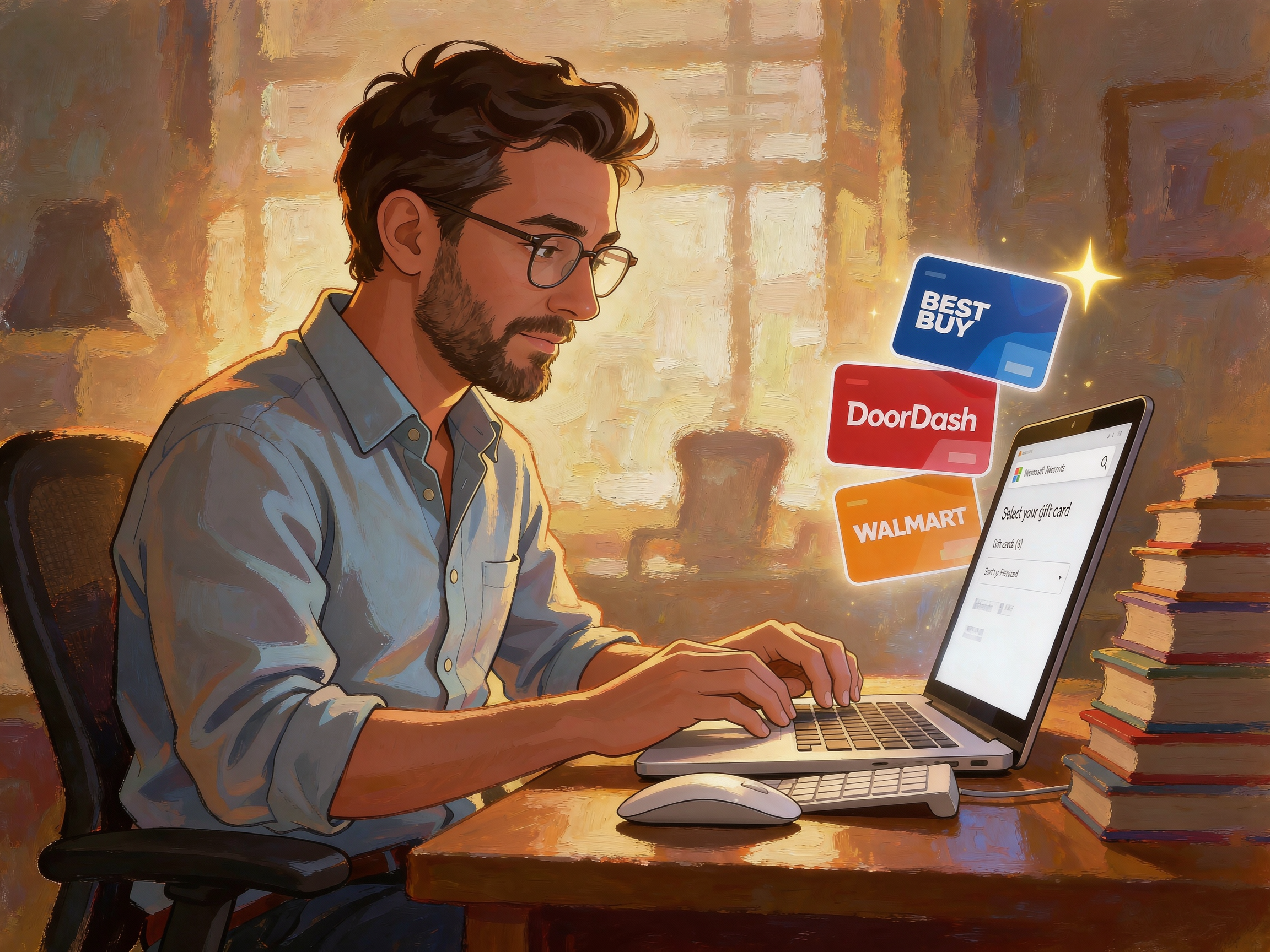
Step 36: Method 2 — Step 36: Donate Points to Charity
For those who prefer to give back, Microsoft Rewards lets you donate your points to selected charitable organizations. While the monetary value of a donation redemption may differ slightly from gift cards, it is a meaningful way to use your rewards for good while still putting your earned points to use.

Step 37: Method 2 — Step 37: Reach and Maintain Level 2 Every Month
Level 2 is where the program truly pays off, but it must be maintained every month — you need to earn 500 points in each calendar month to keep your Level 2 status. Treat this as a monthly goal: with the daily tasks and search caps from Method 1, reaching 500 points a month is very achievable, and holding Level 2 keeps your earning multiplier at its maximum.

Step 38: Method 2 — Step 38: Track Your Points Dashboard
Finally, make it a habit to check your rewards dashboard regularly. The dashboard shows your current balance, your level and progress toward Level 2, your daily task completion, and any expiration dates. Consistently tracking your dashboard keeps you aware of your progress and ensures you are always maximizing every earning opportunity.
Final Thoughts: Earning Microsoft Rewards points fast is really a matter of systematizing a handful of small, consistent habits. By stacking free daily activities from Method 1 on top of smart purchasing and referral strategies from Method 2, you can reach Level 2, hit your daily caps, and build a meaningful points balance that converts into real gift card value. The most successful earners are not the ones who do one extraordinary thing — they are the ones who do the ordinary things, every single day, without fail. Stay active, keep an eye on your dashboard, and redeem your points before they expire. With these two methods working together, your Microsoft Rewards balance will grow faster than you expect.


Reader comments
0 so farFinished this guide? Tell other readers what worked, what didn't, and what you would change.